
Device Overview#
Major Components#
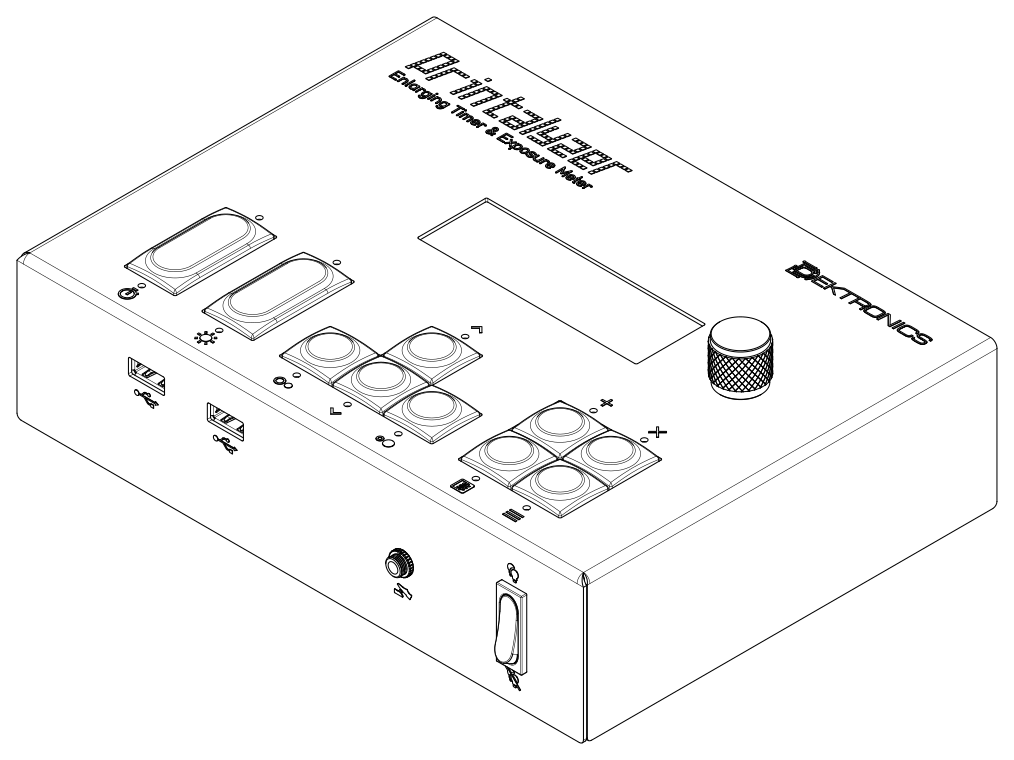
Fig. 1 Printalyzer Enlarging Timer#
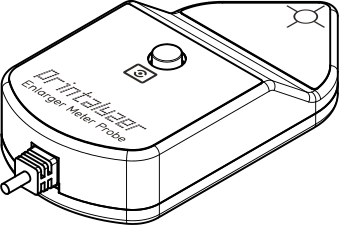 Printalyzer Meter Probe
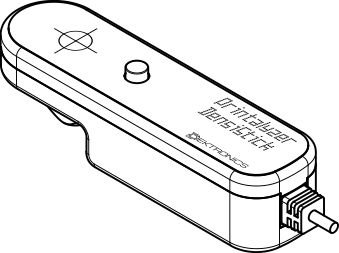 Printalyzer DensiStick
Fig. 2 Included Peripherals#
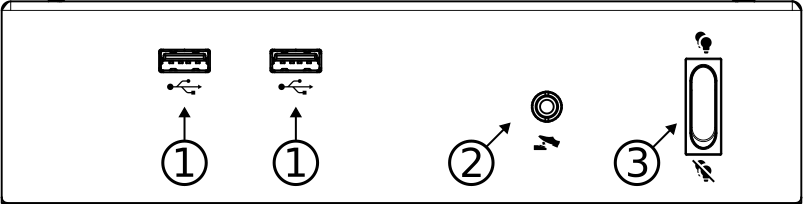
Front Device Ports#
|
USB Host port
This port is for connecting USB peripherals, such as the included Printalyzer Meter Probe, Printalyzer DensiStick, and other supported devices.
|
|
Footswitch port
This port is for connecting the included footswitch for hands-free exposure control.
|
|
Blackout switch
 Device and safelight illumination behaves normally. Device and safelight illumination behaves normally. Device and safelight illumination is temporarily disabled for the safe handling of certain photographic materials. Device and safelight illumination is temporarily disabled for the safe handling of certain photographic materials. |


Rear Device Ports#
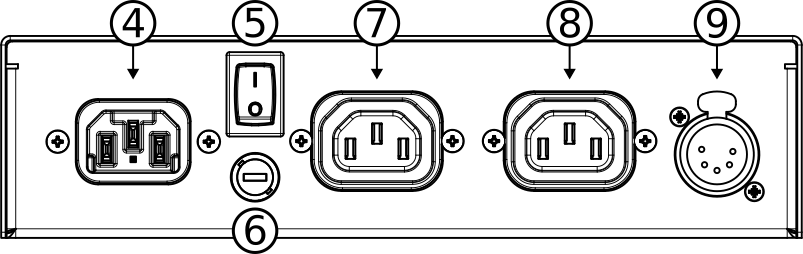
|
Power input port
Attach the power cord here.
|
|
Power switch
Toggle to turn the device on and off
|
|
Fuse
Protects the device against electrical faults.
Only replace with the proper fuse type, as specified in the safety information section.
|
|
Enlarger power port
Provides power to a photographic enlarger.
Use an IEC 320 C14 adapter or cord of suitable rating for your equipment.
|
|
Safelight power port
Provides power to darkroom safelighting.
Use an IEC 320 C14 adapter or cord of suitable rating for your equipment.
|
|
DMX512-compatible expansion port
Provides control signals for non-traditional enlargers and safelighting
|


Button Overview#
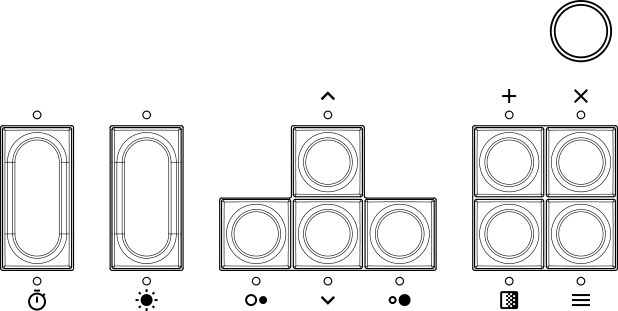
|
Start exposure |
|
Focus mode |
|
Decrease contrast; navigate left |
|
Increase contrast; navigate right |
|
Increase exposure time; navigate up |
|
Decrease exposure time; navigate down |
|
Add burn/dodge adjustment |
|
Enter test strip mode |
|
Cancel |
|
Menu |
|
Fine adjustment knob; also clickable |


